Stable Diffusion NSFW Art: The Only Guide You’ll Ever Need

So you want to generate NSFW AI art using Stable Diffusion but have no idea where to start? Fair enough. You're not alone.
Thousands of horny creators and curious artists fire up Stable Diffusion for NSFW art every single day, and once you get going, there's literally no turning back.
From hyper-realistic nude portraits to filthy anime hentai scenes, SD can generate practically anything your dirty little imagination conjures up
And here's what makes it special … it's completely free, open-source, and runs right on your own PC. No subscriptions. No censorship filters. No judgment. Just raw AI power generating exactly what you prompt it to.
Let's walk through every single step so you can start creating uncensored AI-generated adult art like a proper degenerate. 😈
🤔 What Exactly is Stable Diffusion?
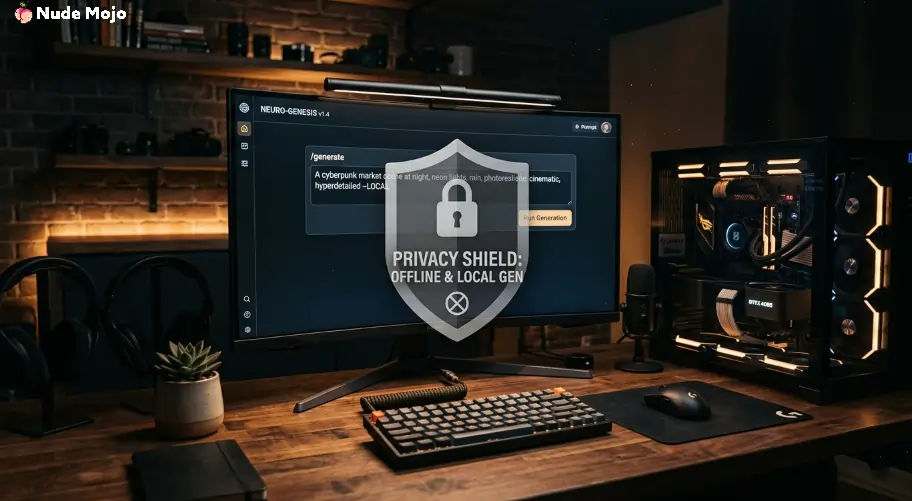
Stable Diffusion is an open-source AI image generation model that turns text prompts into detailed images. It was originally built by Stability AI and released for free public use.
Most AI porn generators and NSFW art platforms actually run on Stable Diffusion under the hood. But instead of paying those apps monthly, you can install SD locally and have unlimited, uncensored, private image generation for absolutely nothing.
It supports multiple art styles including photorealistic nudes, anime hentai, fantasy erotica, pinup art, and pretty much any fetish you can describe in words.
💻 Hardware You'll Need Before Getting Started
Before anything else, make sure your PC can actually handle it. Stable Diffusion is GPU-hungry, and running it on a toaster will just give you blurry sadness.
Here's what you need 👇
| Component | Minimum Spec | Recommended Spec |
|---|---|---|
| GPU | GTX 1660 Ti (6GB VRAM) | RTX 3060 Ti or higher (8GB+ VRAM) |
| RAM | 8GB | 16GB or more |
| Storage | 12GB free space | 100GB+ on SSD |
| CPU | Intel i3 12th Gen | Intel i5 or AMD R5 |
NVIDIA GPUs are strongly recommended because of native CUDA support. AMD cards can work, but setup is trickier and performance takes a hit.
If you're running SDXL models (which produce way better NSFW output), aim for at least 8GB VRAM. Flux-based models like CHROMA need 12GB+.
💡 Pro tip … if you don't own a beefy GPU, Google Colab offers free cloud GPUs that can run Stable Diffusion through a notebook setup.
🛠️ Step 1: Install a Stable Diffusion Interface
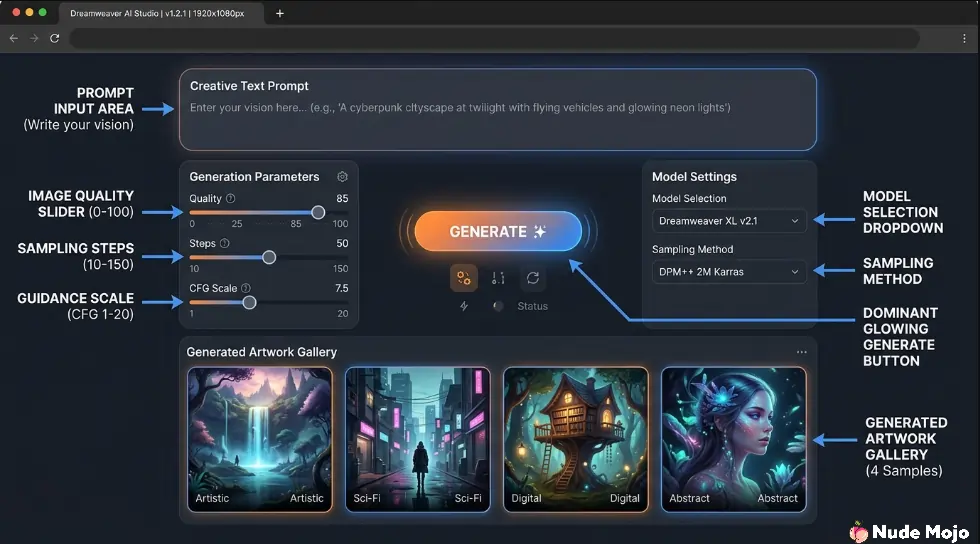
Stable Diffusion by itself is just a raw AI model. You need a Web UI to actually interact with it. Two popular options right now are AUTOMATIC1111 and Stable Diffusion Forge.
Here's how to get rolling 👇
- Install Python 3.10 and Git on your machine
- Clone or download Stable Diffusion WebUI (Forge edition is easier for beginners)
- Run the installation script and wait for it to download all dependencies
- Launch it and access through your browser at localhost
Once launched, you'll see a clean interface with prompt boxes, settings sliders, and a big fat Generate button. That's your new best friend. 😏
🎨Step 2: Download Uncensored NSFW Models from CivitAI
Here's where things get properly spicy. Base Stable Diffusion models are censored with a built-in safety checker that blocks nude and explicit content. You need to swap in uncensored checkpoint models trained specifically for adult content.
CivitAI is your go-to source. It hosts thousands of free, community-trained checkpoints with zero content filters. Create a free account, enable mature content in your settings, and start browsing.
👇Best uncensored models for NSFW art in 2026
| Model Name | Best For | Architecture | VRAM Needed |
|---|---|---|---|
| Juggernaut XL v9 | Photorealistic nudes | SDXL | 8GB+ |
| Realistic Vision v5.1 | Lifelike portraits | SD 1.5 | 4GB+ |
| Pony Diffusion v6 XL | Anime and hentai art | SDXL | 8GB+ |
| CyberRealistic Pony | Detailed NSFW renders | SD 1.5 | 4GB+ |
| CHROMA | Next-gen uncensored Flux | Flux | 12GB+ |
Download .safetensors files and drop them into your models/Stable-diffusion/ folder. Refresh and select from your UI dropdown. Done. No filters. No restrictions.
✍️ Step 3: Write Dirty Prompts That Actually Work
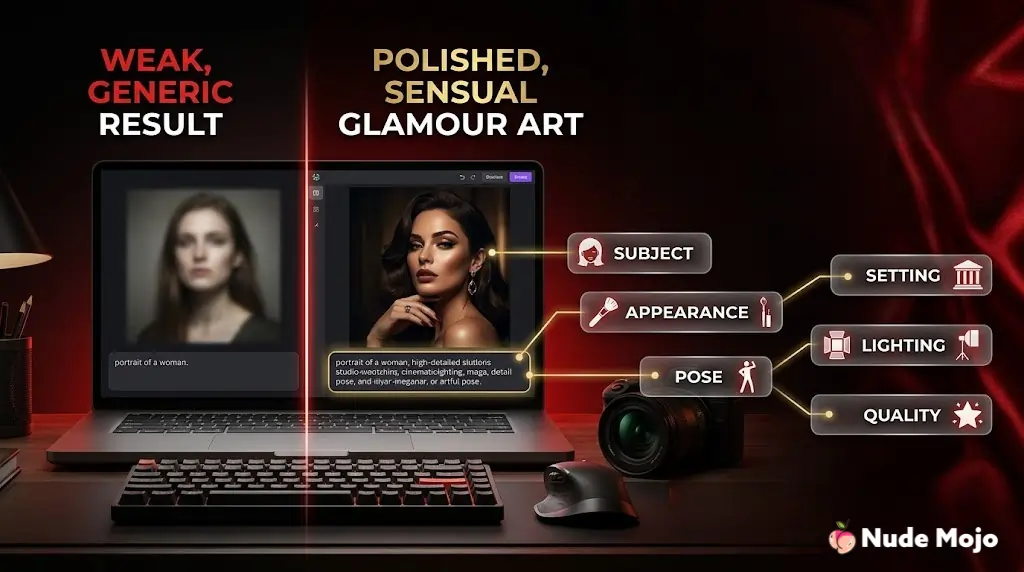
Prompting is everything. A vague prompt gives vague results. A detailed, filthy prompt gives exactly what you want.
Good NSFW prompts follow a simple structure 👇
Subject + Body Details + Pose + Setting + Lighting + Quality Tags
For example … “realistic photo of a curvy woman lying on red satin sheets, soft window lighting, detailed skin texture, seductive expression, 4k, ultra HD, NSFW”
Always tag “NSFW” in your prompt along with style tags like “realistic”, “anime”, “hyperdetailed”, or “fantasy” depending on what you're generating.
Use negative prompts too. Negative prompts tell SD what NOT to include. Add things like “bad anatomy, extra fingers, blurry, deformed, low quality” to keep outputs clean and realistic.
⚙️Step 4: Dial In Your Settings for Best Results
Small setting changes make a massive difference in output quality. Here's what to tweak 👇
CFG Scale controls how closely AI follows your prompt. A value of 7 is standard. Go higher (10-12) for stricter prompt adherence, but too high and images start looking distorted.
Sampling Steps 20 to 40 steps work best. More steps don't always mean better quality but they do increase generation time.
Resolution start at 512×768 for portraits on SD 1.5 models. For SDXL, 1024×1024 is native and produces stunning detail. Don't go too far above native resolution or you'll get weird artefacts.
Sampler Euler a, DPM++ 2M Karras, and DPM++ SDE Karras are fan favourites for NSFW generation. Each gives a slightly different feel, so experiment.
🚀 Step 5: Level Up with LoRAs and Embeddings
Once basic generation clicks, it's time to get seriously addicted. LoRAs (Low-Rank Adaptations) are small add-on models that fine-tune output for specific styles, body types, poses, or characters.
CivitAI has thousands of NSFW LoRAs. Download them, drop into your models/Lora/ folder, and activate them inside your prompt using trigger words. Want a specific lingerie style, body proportion, or erotic pose? There's probably a LoRA for it.
Textual embeddings work similarly but control negative prompts. Embeddings like “EasyNegative” or “bad-hands-5” dramatically improve anatomy and reduce those cursed six-finger nightmares.
💡 Quick Tips to Get Better NSFW Output Faster
🎯 FAQ
Q. Is Stable Diffusion free for NSFW art?
Yes. SD is fully open-source. Models, LoRAs, and embeddings on CivitAI are also free. You only pay for your own electricity and hardware.
Q. Can I run Stable Diffusion without a GPU?
Technically yes using CPU mode, but generation takes forever. Cloud options like Google Colab offer free GPU access as a workaround.
Q. What's better for NSFW … SD 1.5 or SDXL?
SDXL produces sharper, more detailed output but needs more VRAM. SD 1.5 runs on weaker hardware and has a larger library of NSFW models. Both get filthy results.
Q. Do I need coding skills?
Not really. Forge UI handles installation automatically and everything runs through a browser interface. If you can type a prompt and click Generate, you're golden.

⚠️ Stay Smart and Stay Legal
Look, nobody's here to kill your vibe. But a few ground rules keep you out of trouble. Never generate content depicting minors.
Always respect consent and avoid creating non-consensual deepfakes of real people. Most countries have laws around AI-generated explicit material, so know your local regulations.
Keep generated content private unless sharing on platforms that explicitly allow AI adult art. And always use responsibly … because with great GPU power comes great responsibility. 😏